안드로이드 with 자바/자잘한 문제들
[4] SMS 입력 화면 만들고 글자의 수 표시하기
백_곰
2021. 12. 28. 15:11
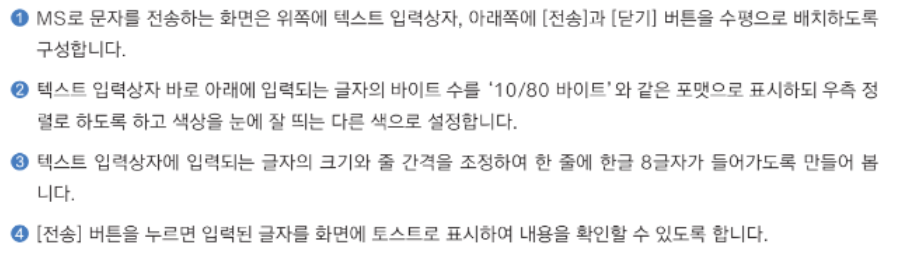
1. 구현해야 할 것
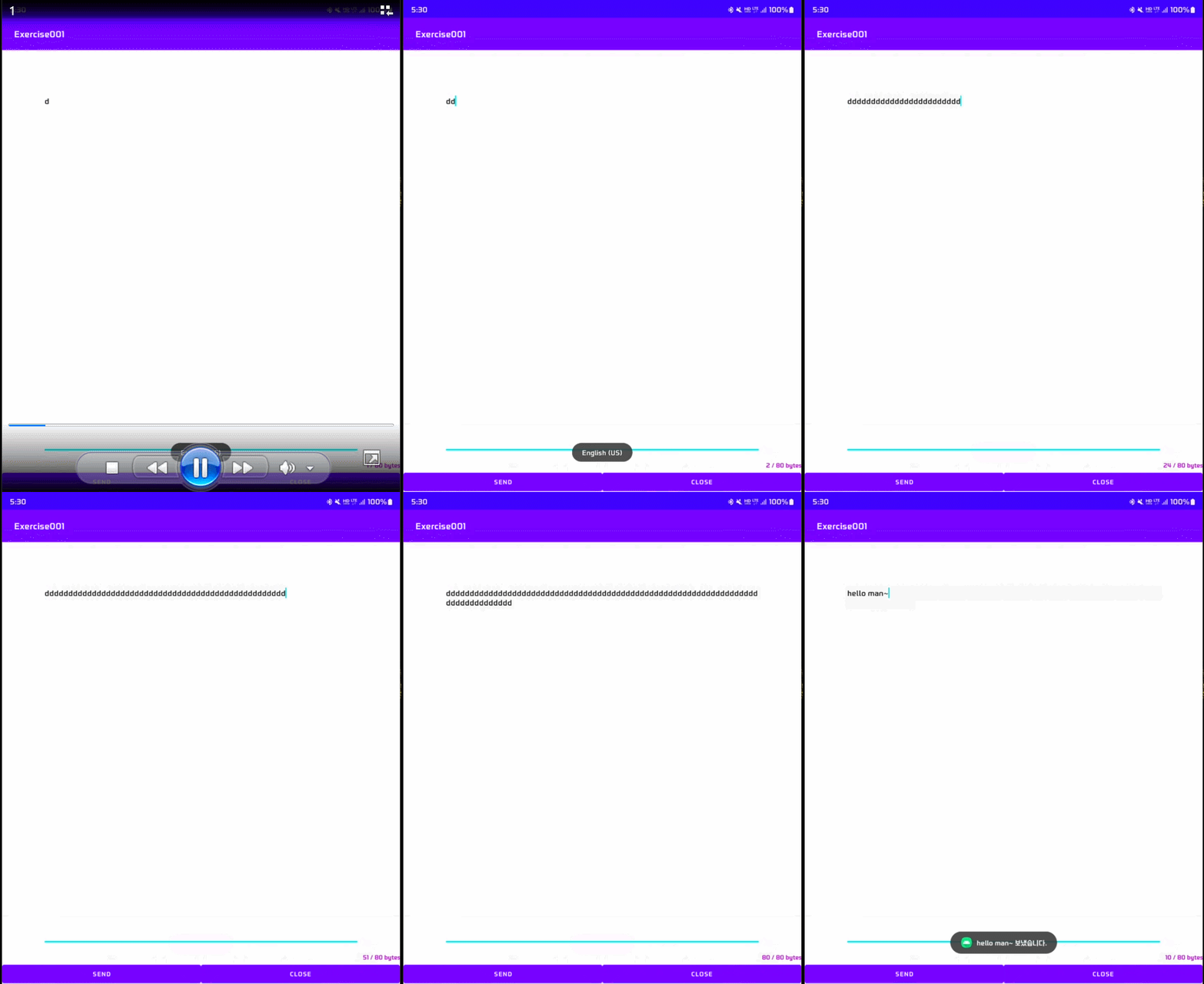
2. 제약조건
3. java 소스코드
( 아래는 MainActivity.java의 소스코드이다. )
public class MainActivity extends AppCompatActivity {
    EditText ed1;
    TextView tv1;
    Button btn1, btn2;

    @Override
    protected void onCreate(Bundle savedInstanceState) {
        super.onCreate(savedInstanceState);
        setContentView(R.layout.activity_main);

        ed1 = findViewById(R.id.ed1);
        tv1 = findViewById(R.id.tv1);
        btn1 = findViewById(R.id.btn1);
        btn2 = findViewById(R.id.btn2);

        TextWatcher tw = new TextWatcher() {
            @Override
            public void beforeTextChanged(CharSequence charSequence, int i, int i1, int i2) {

            }

            @Override
            public void onTextChanged(CharSequence charSequence, int i, int i1, int i2) {
                byte[] bytes = charSequence.toString().getBytes(StandardCharsets.UTF_8);
                int textCount = bytes.length;
                tv1.setText(textCount + " / 80 bytes");
            }

            @Override
            public void afterTextChanged(Editable editable) {

            }
        };

        ed1.addTextChangedListener(tw);

        btn1.setOnClickListener(new View.OnClickListener() {
            @Override
            public void onClick(View view) {
                String str = ed1.getText().toString();
                Toast.makeText(getApplicationContext(), str + " 보냈습니다.", Toast.LENGTH_SHORT).show();
            }
        });

        btn2.setOnClickListener(new View.OnClickListener() {
            @Override
            public void onClick(View view) {
                finish();
            }
        });
    }
}
4. xml 소스코드
( 아래는 activity_main.xml의 소스코드이다. )
<?xml version="1.0" encoding="utf-8"?>
<RelativeLayout xmlns:android="http://schemas.android.com/apk/res/android"
    xmlns:app="http://schemas.android.com/apk/res-auto"
    xmlns:tools="http://schemas.android.com/tools"
    android:layout_width="match_parent"
    android:layout_height="match_parent"
    tools:context=".MainActivity" >

    <RelativeLayout
        android:id="@+id/textLayout"
        android:layout_width="match_parent"
        android:layout_height="match_parent"
        android:layout_alignParentTop="true">

        <EditText
            android:id="@+id/ed1"
            android:layout_width="match_parent"
            android:layout_height="match_parent"
            android:layout_alignParentTop="true"
            android:layout_centerInParent="true"
            android:layout_marginStart="80dp"
            android:layout_marginTop="80dp"
            android:layout_marginEnd="80dp"
            android:layout_marginBottom="80dp"
            android:gravity="top"
            android:hint="여기에 쓰세요."
            android:maxLength="80" />

        <TextView
            android:id="@+id/tv1"
            android:layout_width="match_parent"
            android:layout_height="wrap_content"
            android:layout_alignParentRight="true"
            android:layout_alignParentBottom="true"
            android:layout_marginRight="-1dp"
            android:layout_marginBottom="49dp"
            android:gravity="right"
            android:text="0 / 80 bytes"
            android:textColor="#9C27B0"
            android:textStyle="bold" />
    </RelativeLayout>

    <LinearLayout
        android:id="@+id/btnLayout"
        android:layout_width="match_parent"
        android:layout_height="wrap_content"
        android:layout_alignBottom="@id/textLayout"
        android:layout_alignParentBottom="true"
        android:orientation="horizontal">

        <Button
            android:id="@+id/btn1"
            android:layout_width="wrap_content"
            android:layout_height="wrap_content"
            android:layout_weight="1"
            android:text="send" />

        <Button
            android:id="@+id/btn2"
            android:layout_width="wrap_content"
            android:layout_height="wrap_content"
            android:layout_weight="1"
            android:text="close" />
    </LinearLayout>
</RelativeLayout>